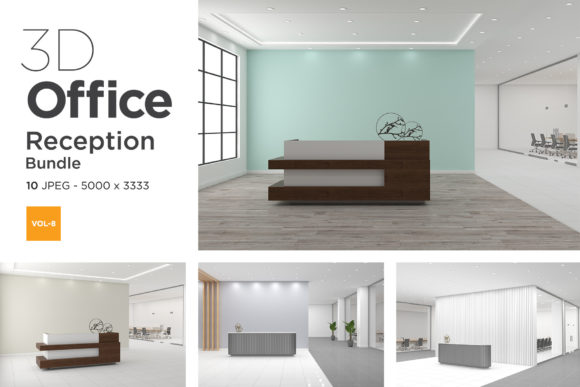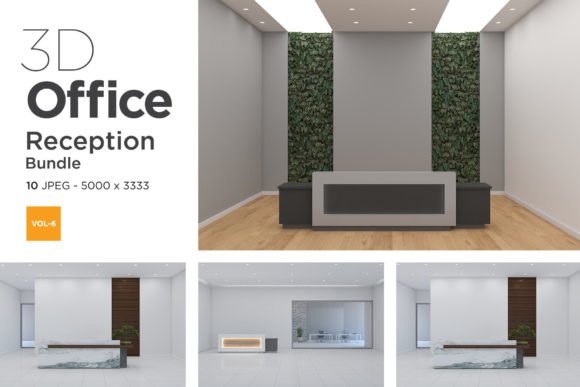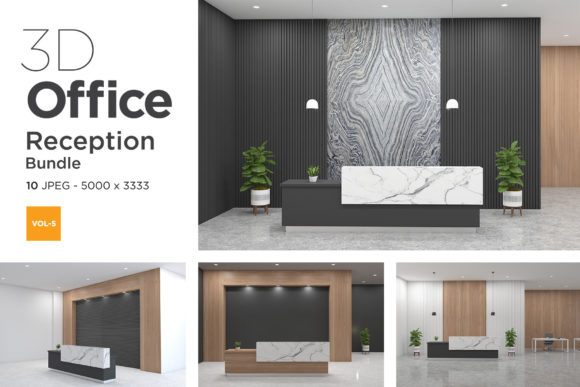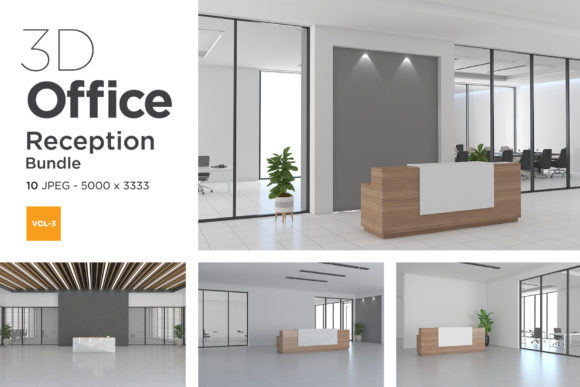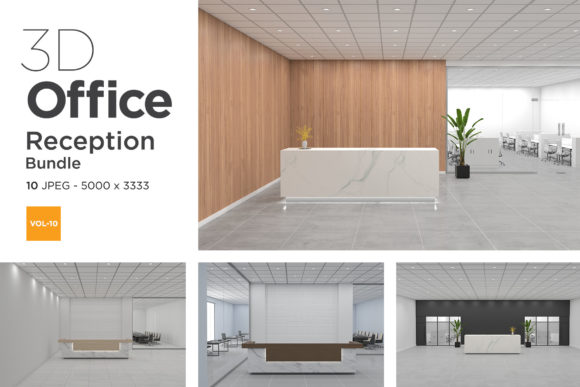
3D Office Reception Mockup Vol 10
In the competitive world of business branding and interior design presentation, first impressions are everything. The reception area is often the very first space a client or employee encounters, setting the tone for the entire experience. Whether you are an interior designer showcasing a new hotel lobby concept or a creative professional looking to display your portfolio in a realistic context, having high-quality visual aids is crucial. This is where 3D Office Reception Mockup Vol 10 steps in as a powerful tool. It is not just a collection of images; it is a curated set of ten distinct, photorealistic scenes designed to help you present your artwork, logos, and design concepts with maximum impact.
The bundle features self-rendered office interior scenes created with a keen eye for detail, playing with different lights, shadows, wooden materials, and warm white tones. These elements combine to create an atmosphere that feels both professional and inviting. By using these mockups, you can transform flat designs into immersive experiences, allowing viewers to visualize how their branding fits into a real-world environment.
Why Realism Matters in Digital Presentations
Gone are the days when simple screenshots or basic background placements were sufficient for professional presentations. Clients and stakeholders need to see how a design lives in three-dimensional space. They want to understand the scale, the lighting, and the material textures before committing to a project. 3D Office Reception Mockup Vol 10 addresses this need by providing top-quality, V-Ray rendered visuals that mimic the look and feel of actual photography.
When you use a realistic mockup, you reduce the cognitive load on your viewer. Instead of trying to imagine what a logo looks like on a marble desk under specific lighting conditions, they see it immediately. This clarity accelerates decision-making and increases confidence in your work. The 5000 x 3333 pixel resolution ensures that every detail remains crisp, even when viewed on large monitors or printed for physical portfolios.
Tailored Solutions for Diverse Professionals
One of the strongest aspects of this bundle is its versatility. It is not limited to a single type of user but serves a wide array of creative and business professionals. Here is how different audiences can leverage these scenes:
- Interior Designers and Architects: If you have just completed a renovation project for a corporate office or a boutique hotel, you need to show off the result. Using one of the ten angles from Vol 10 allows you to place renderings of furniture, wall art, or digital signage directly into the scene. The empty counter and varied back-wall setups provide perfect canvases for your design proposals without cluttering the view.
- Branding Agencies: For agencies creating identity packages for clients in the hospitality or corporate sectors, showing the logo in context is vital. Imagine presenting a new brand identity for a luxury hotel chain. Placing their logo on the reception desk in a warm, wood-toned environment helps the client visualize the final brand touchpoints. It bridges the gap between abstract graphic design and tangible brand experience.
- Creative Bloggers and Influencers: Content creators who focus on workspace aesthetics, productivity tips, or design trends need engaging visuals. Stock photos are great, but customized mockups allow you to insert your own affiliate links, product shots, or personal branding elements. A blogger reviewing ergonomic office chairs could place their review graphic next to the reception counter, creating a cohesive and professional-looking post.
- Real Estate Agents: For commercial real estate, staging virtual spaces can be more effective than physical staging. Agents can use these mockups to showcase the potential of an empty office lobby. By adding a company logo or a "For Lease" sign digitally, they can attract tenants by showing them exactly how their brand would fit into the space.
Practical Application and Workflow Efficiency
Beyond the visual appeal, the technical specifications of 3D Office Reception Mockup Vol 10 are designed to streamline your workflow. The inclusion of fully layered PSD files (minimum CS6) means you have granular control over every element. You are not stuck with a static JPG; you can adjust layers, tweak colors, and modify elements within the scene to match your specific needs.
The use of Smart Object layers is particularly beneficial for designers who handle multiple variations of a project. Instead of recreating the entire scene for each new logo version, you simply double-click the Smart Object, paste your new design, save, and watch it update automatically in the main file. This feature saves hours of repetitive work, allowing you to produce high-volume presentations quickly without sacrificing quality.
Furthermore, the variety of angles provided in the set—ten unique scenes—means you are never forced to use the same perspective twice. This diversity is essential when creating a comprehensive brand deck or a multi-page portfolio. You can alternate between wide shots of the hall and closer views of the reception desk to keep the visual narrative dynamic and engaging.
Considerations for Optimal Use
While 3D Office Reception Mockup Vol 10 offers numerous advantages, there are practical considerations to keep in mind to get the best results. First, always ensure your source designs are high-resolution. Since the mockups are 5000 pixels wide, placing a low-res image will result in pixelation, undermining the realism of the scene. Stick to vector-based logos or high-DPI raster images for the cleanest output.
Secondly, pay attention to lighting consistency. Although the mockups come with pre-set lighting effects, if you are adding complex 3D objects or detailed graphics, try to match the light direction and color temperature. The warm white tones and wooden materials in Vol 10 suggest a soft, natural light source. Aligning your added elements with this aesthetic will make the composite look seamless rather than pasted-on.
Finally, remember that while these are 3D renders, they are intended to simulate reality. Avoid adding overly fantastical or cartoonish elements unless the context specifically calls for it. The strength of these mockups lies in their ability to look like real photographs. Keeping your additions grounded in realism will maintain the professional integrity of your presentation.
Enhancing Business Branding Through Visual Storytelling
In today’s digital-first economy, visual storytelling is a key component of successful marketing. 3D Office Reception Mockup Vol 10 provides the stage for that story. It allows business owners and creatives to move beyond text-heavy descriptions and instead show, not just tell. When a client sees their logo integrated into a beautifully lit, spacious reception area, they feel a sense of ownership and excitement about the potential outcome.
This bundle is more than just a resource; it is a catalyst for better communication. It helps bridge the gap between imagination and execution, making it easier for teams to align on vision and style. Whether you are advertising a new service, showcasing a design portfolio, or pitching a corporate rebrand, these mockups offer a polished, professional finish that commands attention.
By leveraging the flexibility of PSD files and the realism of V-Ray rendering, you can create presentations that stand out in a crowded market. The combination of warm aesthetics, diverse angles, and technical ease makes this set an invaluable asset for anyone serious about visual presentation. As you explore the possibilities of integrating your work into these scenes, you may find that the right backdrop can elevate your design from good to exceptional.